
Screenshots
About Cut Paste Photo Seamless Edit
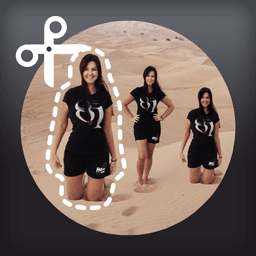
Master photo compositing and create stunning visual content with Cut Paste Photo Seamless Edit, the intuitive tool for blending objects seamlessly into your photos. Cut any element from one image and paste it into another with professional-quality overlay blending that rivals desktop editors—no Photoshop needed.
Your creativity has no limits. Select objects with precision, then merge them into new compositions with seamless edges and natural blending. Whether you're combining landscapes, adding dramatic elements, or building entirely new scenes, the advanced overlay technology ensures smooth transitions that look polished and intentional. Objects with transparent structures—like water, clouds, rainbows, or sand—blend particularly well, creating invisible seams that elevate your final image.
Designed for simplicity, the app guides you through the process on first use with helpful tips that fade away as you grow confident. Save all your creations directly to your gallery and share your unique images across social platforms. Instagram, TikTok, and other social feeds deserve content that stands out—and Cut Paste Photo Seamless Edit makes it easy to produce gallery-worthy compositions that impress your audience.
Whether you're a content creator building a personal brand, an artist exploring digital collage, or simply someone who loves experimenting with visual storytelling, this tool delivers professional results without the steep learning curve. Transform ordinary photos into extraordinary artwork. Download Cut Paste Photo Seamless Edit today and start creating the seamless, eye-catching images your followers will love.
Pros & Cons
Pros
- Seamless blending technology creates professional-quality composites without desktop software
- Intuitive guided workflow with optional tips helps beginners learn quickly
- Excels at blending transparent elements like water, clouds, and sand naturally
- Direct save and share to gallery and social platforms in one workflow
Cons
- No mention of undo/redo functionality or non-destructive editing layers
- Requires internet connection for full feature access and social sharing
- Learning curve steeper for complex selections or objects with hard edges
- Mobile-only app may struggle with large-resolution images on lower-end devices
Related Apps

GIMP
Open-source photo editor and digital art studio with professional tools for retouching and illustration.

Paint.NET
Free photo editing software with layers, effects, and unlimited undo for Windows.

Photoscape
Photo editor with viewer, collage maker, GIF creator, and batch tools—all in one free app.

3D Emoji Face Camera
KEVIN STUDIO
3D emoji face camera with live filters and animated effects. Create fun selfies instantly.

Profile Picture Downloader HD
helalik
Download Instagram profile pictures in HD — no login required, view and save instantly.
Beauty Camera Plus
Photo Created
Photo editor with beauty filters for selfies, portraits, and real-time enhancement — free download.
Latest Articles

Best Booking.com alternatives for PC in 2026 (we tested 7)
Jul 11, 2026
7 best Cheat Engine alternatives for PC in 2026 (we tested all of them)
Jul 11, 2026

Best d Point Club alternatives in 2026 (we compared 7)
Jul 11, 2026

Best DCM App alternatives in 2026 (we compared 7)
Jul 11, 2026

7 best Free Fire alternatives for PC in 2026 (we tested all of them)
Jul 11, 2026